
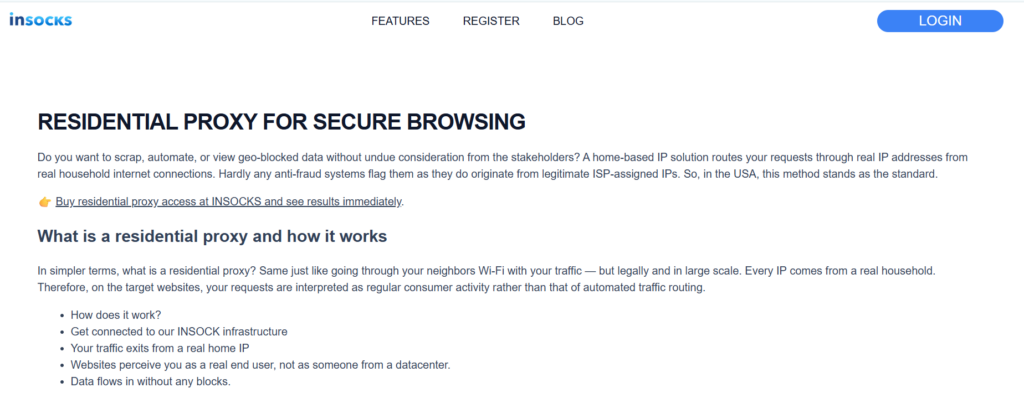
Many proxy decisions fail not because the IPs are weak, but because the workflow around them is poorly tuned. On the INSOCKS residential page, a residential proxy is presented as traffic routed through real household ISP addresses, with city level targeting in the USA, flexible rotation, and support for HTTP, HTTPS, and SOCKS5. That combination makes the service especially relevant when a team is trying to lower block rates, reduce CAPTCHAs, and keep protected tasks stable without moving straight to more expensive mobile traffic. The practical value comes from using residential access as an optimization layer for difficult targets rather than as a generic shortcut for every task. ✨
Why protected targets break simpler workflows
Protected targets usually react to patterns before they react to volume alone. The residential page says household IPs are trusted more than datacenter IPs because they come from real ISP assigned home connections, and it also says blocks and CAPTCHAs can fall dramatically when traffic stops looking like obvious server automation. That turns residential routing into a practical tool for reducing friction on sites that already filter suspicious traffic aggressively.
Trust matters more when a site already expects abuse
The page says residential routes are the right choice when targets deploy serious anti bot defenses and when websites check incoming connections by reputation. That makes trust the first problem to solve on difficult targets, not only speed. A faster but less trusted route can still waste hours if the site keeps throwing blocks or verification checks in front of the task.
Geography matters when the result should look local
INSOCKS describes its residential coverage as concentrated in USA regions with city level precision. That matters because rankings, product offers, and visible content can shift by city rather than by country alone. A workflow that ignores geography may blame the proxy for bad results when the real issue is location mismatch.
Persistence matters when the task is not purely one request deep
The same page offers per request rotation, timed rotation, and sticky sessions, which means the user is expected to shape the session according to the task. This is important because some protected targets break under constant IP change while others break under too much repetition from one identity. A stable workflow comes from matching session behavior to the job instead of picking one mode and hoping it fits everything. ✨
How INSOCKS turns residential traffic into a tuning tool
The service is more useful when read as a tuning platform instead of a simple pool of IPs. The residential page describes a setup flow built around choosing geography, configuring rotation preferences, connecting through the right protocol, and tracking consumption in real time. That sequence suggests the product is meant for controlled adjustment rather than random use.
Protocol choice matters more than many teams admit
INSOCKS states that the residential product supports HTTP, HTTPS, and SOCKS5. That matters because some tools behave better with one protocol than another, especially when the workflow includes automation, account sessions, or mixed browser and script use. A block problem can sometimes come from stack mismatch rather than from IP quality alone.
Real time consumption tracking helps optimization stay grounded
The page says users can track consumption through real time feeds, which is important for tuning because it keeps changes visible while a task is running. When a team adjusts rotation or geography, it needs feedback instead of guesswork. A proxy setup becomes much easier to improve when usage is watched as part of the workflow, not only at the end of the billing cycle. ✅
Residential traffic compared with the main alternatives
A good optimization model also needs a comparison layer. The residential page directly compares this category with datacenter and mobile traffic and frames residential access as the middle ground between trust and cost. That is helpful because it keeps teams from forcing residential routes into tasks that clearly belong elsewhere.
Residential beats datacenter when trust is the real bottleneck
The page says datacenter IPs are maximum speed and minimum cost but also high risk for detection, while residential IPs provide genuine household origins and stronger trust. That means residential traffic becomes the better fix when the workflow is failing because the target sees the route as suspicious. In those cases, improving trust usually brings more value than shaving a little more time off response speed.
Mobile beats residential only when the trust requirement becomes extreme
INSOCKS says mobile routes have even higher trust but cost significantly more, while residential traffic delivers excellent value for most operations. This is a useful limit because it prevents overspending. A team should move from residential to mobile only when the task clearly needs that extra trust level rather than by default.
Step by step method for improving a weak workflow
An unstable target should be fixed with a sequence, not with random switching. The residential page gives enough direct guidance to build a usable method around geography, rotation, protocol choice, and metrics. Following that order usually reveals the real problem faster than buying more IPs.
Step one confirm the task really belongs in residential territory
The page says residential routes are ideal when location specific access matters, when accounts need protection, and when scraping must continue without constant interruptions on protected targets. If the job mainly needs raw speed and the target has weak defenses, the page itself says alternatives may be better. That first check prevents teams from trying to solve the wrong problem with the wrong class of traffic.
Step two choose geography before adjusting anything else
INSOCKS tells users to choose city, state, or broader USA region before connecting. That is the right order because wrong location can distort search results, ads, and competitor views even when the IP itself is trusted. A workflow should never be judged as bad until the geography matches the actual market being tested. ✅
Step three align rotation with the task shape
The page gives a direct rule through its practical tips: bulk scraping needs per request cycling, while account management requires sticky sessions. Timed rotation sits between those two when the task needs short continuity without permanent sameness. This is often the fastest adjustment when a workflow is half working but still showing suspicious behavior.
Step four monitor metrics and change pace before blaming the pool
INSOCKS advises users to watch metrics, treat rising block rates as a sign that rotation needs adjustment, and pace requests because even legitimate household IPs can look robotic at maximum speed. That is a strong reminder that behavior tuning matters alongside IP trust. Sometimes the route is fine and the request pattern is the real problem.
Types and recommendations for common protected tasks
Different protected tasks fail in different ways, so a single recommendation is rarely enough. The most practical method is to connect each use case with one starting mode, then adjust only if the data says it is necessary. That keeps troubleshooting cleaner and easier to repeat.
For scraping and research teams
Start with per request rotation when the job involves many repeated requests across defended pages. The page explicitly links residential infrastructure to web scraping and data research, and it warns that overcrowded burned pools fail quickly. A clean rotating residential setup is therefore the better starting point when repetition is the main risk. ✅
For SEO and city based ranking checks
Start with geo targeted residential traffic and avoid unnecessary session changes during the comparison window. INSOCKS says search results shift by location and user history, and it highlights city level precision across the USA for these workflows. The best first goal is accuracy of local view, not maximum request speed.
Pros and cons that should stay visible
Residential access is powerful, but it is not a universal answer. The page itself gives enough detail to keep expectations realistic and to help teams decide where this route creates the strongest return. A balanced view usually leads to better long term use.
Main strengths
- ✅ Real household ISP origins improve trust on protected targets.
- ✅ City level targeting in the USA supports localized checks.
- ✅ Per request, timed, and sticky modes make session tuning practical.
- ✅ HTTP, HTTPS, and SOCKS5 support widen software compatibility.
- ✅ Real time usage tracking supports more disciplined optimization.
Main limitations
- ❌ Residential traffic costs more than basic datacenter routes.
- ❌ It is not the best answer when raw speed matters more than trust.
- ❌ Maximum speed behavior can still look robotic even on household IPs.
- ❌ The wrong session mode can weaken results even with good IP quality.
Where this product creates the clearest improvement
The most useful way to read the INSOCKS residential page is as a workflow repair tool. It is built for operators who need to lower CAPTCHAs, improve local visibility, and keep protected tasks stable by tuning geography, session style, protocol choice, and pacing. That is what makes the product more practical than a simple promise of anonymous traffic. ✅
When teams use the product this way, residential access stops being a generic upgrade and becomes a deliberate response to visible failure patterns. The page gives enough guidance to build that discipline through trust focused routing, flexible rotation, city precision, and metric based adjustment. That is where the strongest value appears for real business workflows. ✨
More Stories
The amazing Claudio Caniggia
Preserving Bankroll Clarity: How USDC and ACR Poker Are Shifting the Landscape of Stablecoin Integration
Best Bitcoin Casino Sites for August 2026